
Overview
The Veterinary Verification and Consultation Request (VVC) workflow provides a standardized process for documenting veterinary consultations, tracking responses, and maintaining a complete history within eRAM. The VVC process improves communication between Veterinary staff and ACUO QA personnel while ensuring that all actions, comments, and workflow activities are documented and available for future review.
A VVC is initiated by veterinary personnel and assigned to the appropriate ACUO Quality Assurance (QA) personnel for review and follow-up.
Step-by-Step Process
Create a VVC Request (as a Vet)
Navigate to the appropriate Protocol workspace.
Note The protocol must be in one of the following states: "Approved" or "Suspended".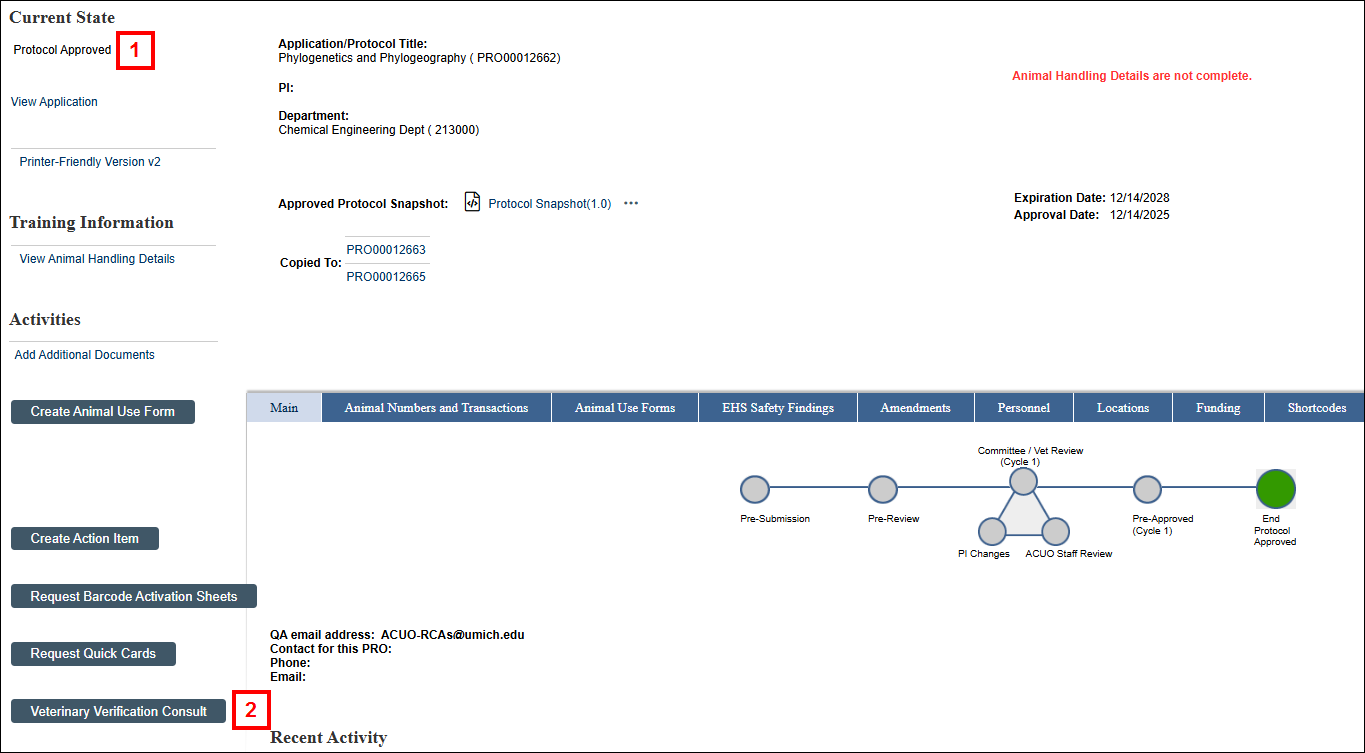
- Click the Veterinary Verification Consult button. The VVC form will open, allowing the Veterinarian to document the consultation form.
Complete all required fields.
Notes:- The Study Team Contact field allows veterinary personnel to select an individual associated with the protocol.
- The Additional Contact field may be used to provide supplemental contact information when necessary.
- The Instructions Notes for VVC field is required and should contain sufficient information for the assigned QA personnel to review and process the request.
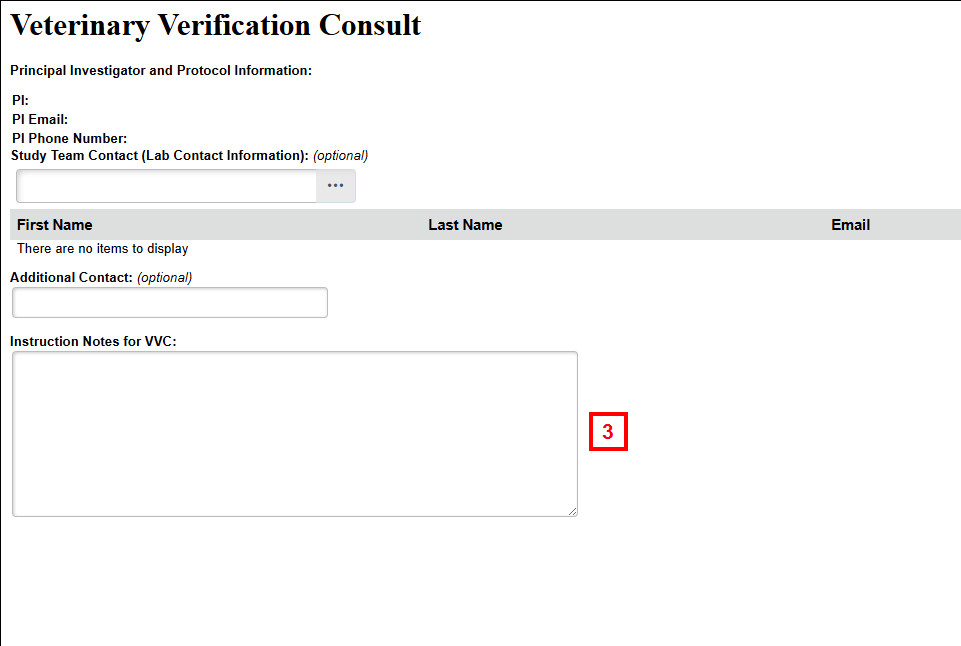
- Click Finish.
The system creates the VVC Action Item and assigns it to the appropriate QA personnel.
Notifications
After submission, the system sends notifications to the following individuals:
- Veterinary Personnel
The submitting veterinarian receives confirmation that the request has been submitted and assigned to a ACUO QA successfully. - ACUO QA
The assigned QA on the Protocol receives a notification indicating that a new VVC has been created and assigned.
Reviewing and Closing a VVC Request (as a QA)
- The assigned ACUO QA personnel reviews the information provided by the veterinarian.
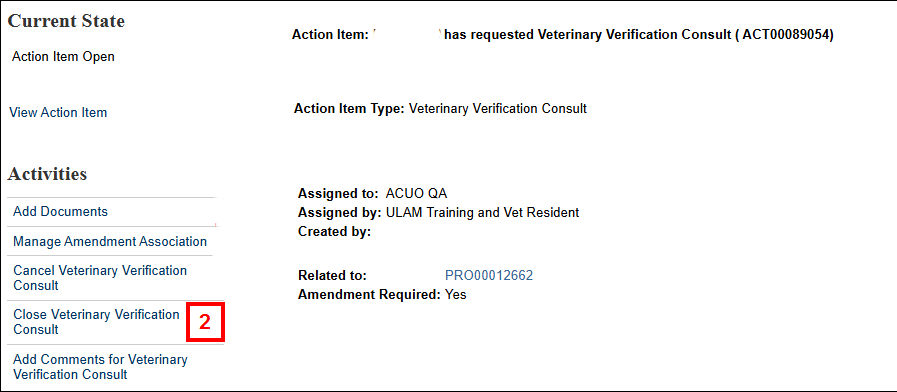
- Once all required actions have been completed, QA personnel execute the Close Veterinary Verification Consult activity. Unlike other workflows, VVC requests do not move to a separate Completed state. Instead, QA personnel may Close the request directly.
Alternate Workflow Activities
Edit VCC: Use to update information associated with an existing request.
Reopen VCC: Use when additional information or follow-up actions are required.
Cancel VCC: Use when the request is no longer needed.
Frequently Asked Questions
- Who can create a VVC request? Only authorized Veterinary personnel can create a VVC request.
- Where is the VVC request created? The request is created directly from the protocol workspace.
- Which protocols support VVC requests? Only protocols in the Approved or Suspended state support VVC requests.
- Who can close a VVC request? Only authorized QA personnel can perform the close activity.
- Is a history of changes maintained? Yes. All activities, comments, updates, and workflow transitions are recorded within the "History" tab on the Action Item.